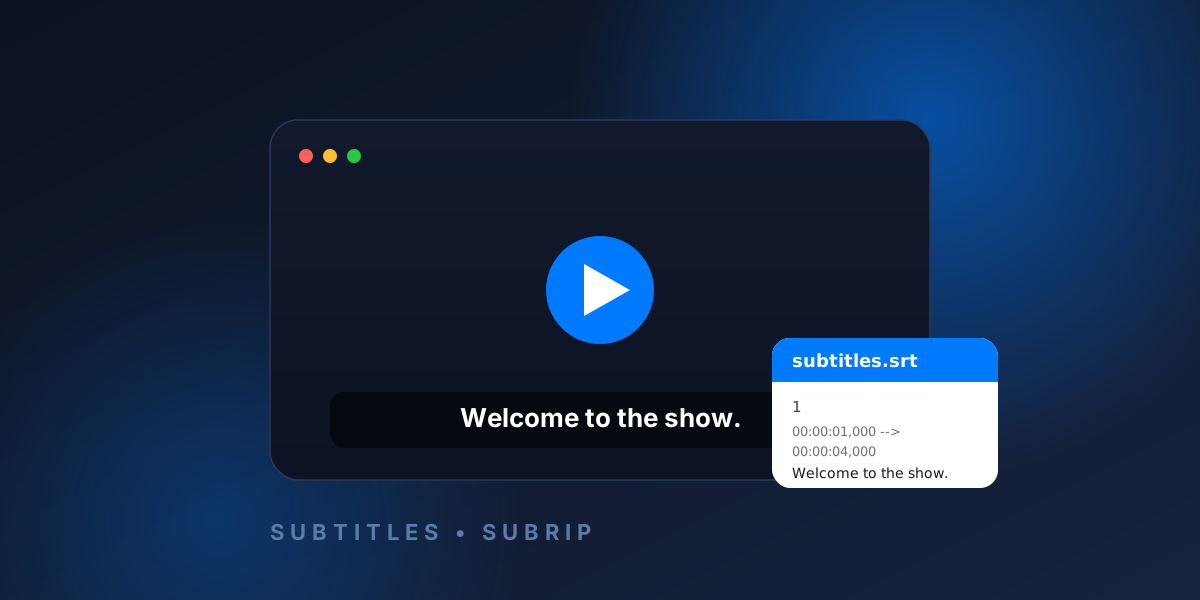
An SRT file (.srt) is a plain-text subtitle file that pairs each line of on-screen dialogue with an exact start and end time. It is the most widely supported subtitle format in the world, readable by almost every video player, editor, and streaming platform. Because an SRT file is just text, you can open it in any text editor, edit it by hand, and move it between programs without losing anything.
In this guide we explain what an SRT file is, where the format came from, exactly how it is structured, what it is used for, how it compares to other subtitle formats like VTT and ASS, and how to translate one online in seconds.
What is an SRT file?
SRT stands for SubRip Subtitle. It is a simple, human-readable file format that stores subtitles as a numbered list of timed text blocks. Each block tells a video player three things: which subtitle it is, when it should appear and disappear, and what text to show. There is no styling, no images, and no audio inside an SRT file — only timing and text, which is exactly why it is so universal.
A typical SRT file uses the .srt extension and is encoded as UTF-8 text. You can rename, email, or edit it like any ordinary document.
Where did the SRT format come from?
The format was created by a Windows program called SubRip, released in the early 2000s. SubRip was designed to “rip” (extract) hard-coded subtitles from video using optical character recognition and save them as editable text. The plain-text file it produced — the .srt file — was so easy to read and reuse that it quickly outgrew the original program and became the de-facto standard for subtitles across the internet. Today, “SRT” is far better known than the SubRip software that introduced it.
What's inside an SRT file?
An SRT file is a sequence of subtitle blocks separated by a blank line. Every block has the same four parts:
- A sequence number — 1, 2, 3… identifying the subtitle's order.
- A timecode line — the start and end time, separated by an arrow (
-->). - The subtitle text — one or more lines of dialogue.
- A blank line — marking the end of the block.
Here is what a real SRT file looks like:
1
00:00:01,000 --> 00:00:04,000
Welcome to the show.

2
00:00:04,500 --> 00:00:08,200
Today we're talking about subtitles
and how they actually work.
How SRT timestamps work
Each timecode uses the format hours:minutes:seconds,milliseconds — for example 00:01:23,456. A key detail: SRT uses a comma before the milliseconds, not a period. (The closely related WebVTT format uses a period instead — one of the few differences between them.) The start and end times are joined by the arrow -->, and they control precisely when the line appears and how long it stays on screen.
What are SRT files used for?
- Video subtitles and captions on platforms like YouTube, Vimeo, and most streaming services.
- Accessibility — captions make videos usable for deaf and hard-of-hearing viewers.
- Translation — a single video can ship with an SRT file per language.
- Watching with local players like VLC, which load a matching
.srtfile automatically when it shares the video's filename. - SEO for video — uploading subtitles gives search engines text to index, improving discoverability.
SRT vs other subtitle formats
SRT is the most common format, but it is not the only one. Here is how it compares:
| Format | Extension | Best for | Styling? |
|---|---|---|---|
| SubRip | .srt | Universal compatibility | No |
| WebVTT | .vtt | HTML5 / web video | Basic |
| Advanced SubStation | .ass / .ssa | Anime & rich styling | Full (fonts, colors, positioning) |
In short: choose SRT when you want something that works everywhere, VTT for web players, and ASS/SSA when you need precise fonts, colors, and positioning. The good news is that you don't have to commit — tools can convert and translate between them.
For a detailed side-by-side decision guide, see our SRT vs VTT vs ASS comparison.
How to open and edit an SRT file
Because an SRT file is plain text, you can open it in any text editor — Notepad on Windows, TextEdit on Mac, or any code editor. To edit subtitles, simply change the text between the timecodes, keep the timing lines intact, and save the file with UTF-8 encoding so accented and non-Latin characters display correctly.
How to create an SRT file
You can create an SRT file from scratch in a text editor by following the four-part block structure above, or you can use subtitle software that lets you type lines while watching the video and set the timings visually. Either way, save the result with a .srt extension.
Common SRT problems (and how to fix them)
- Garbled characters — usually an encoding issue. Re-save the file as UTF-8.
- Subtitles out of sync — the timecodes are offset from the video. Shift all timestamps earlier or later by the same amount.
- Lines that are too long — keep each subtitle to one or two short lines so viewers can read them in time.
- Wrong decimal separator — remember SRT uses a comma (
,) before milliseconds, not a period.
How to translate an SRT file online
One of the most common things people need to do with an SRT file is translate it into another language — without breaking the timing. Doing it by hand is slow and error-prone, because you have to translate hundreds of lines while leaving every timestamp untouched.
That's exactly what RelaySub is for. RelaySub is a free online subtitle translator that runs entirely in your browser:
- Works with .srt, .vtt, and .ass / .ssa files and exports back to the same format.
- Translates into more than 100 languages, including right-to-left languages like Arabic, Persian, and Hebrew.
- Keeps every timestamp perfectly in sync — only the text is translated.
- Lets you edit each translated line before you export.
- Requires no sign-up and no software — your files are never stored.
Upload your subtitle file, pick a target language, and download a clean, perfectly-timed translation in seconds.
If you want the full workflow before uploading a file, follow our step-by-step subtitle translation guide.
Try RelaySub — translate subtitles free →
Frequently asked questions
Is an SRT file just text?
Yes. An SRT file is plain UTF-8 text containing numbered, timestamped subtitle blocks. You can open and edit it in any text editor.
What does SRT stand for?
SRT stands for SubRip Subtitle, named after the SubRip program that introduced the format.
Can I translate an SRT file without losing the timing?
Yes. Tools like RelaySub translate only the subtitle text and preserve every timestamp, so the translated file stays perfectly in sync with the video.
What's the difference between SRT and VTT?
They are nearly identical. The main differences are that WebVTT (.vtt) starts with a WEBVTT header and uses a period before milliseconds, while SubRip (.srt) uses a comma. VTT also supports some basic styling for web players.